In the modern Sydney home, the demand for electricity has never been higher. From charging multiple smartphones and laptops to powering high-end kitchen appliances and home cinema systems, our reliance on a steady power supply is absolute. However, many older homes in the suburbs are still equipped with the bare minimum of outlets, leading to the dangerous “octopus” of extension cords and power boards. Investing in a professional power point installation is not just about convenience; it is a fundamental upgrade to your home’s safety, functionality, and overall market value. For homeowners seeking more insights into common electrical risks and upgrades, you can explore our guide on Electrical Breakdowns in Sydney. Whether you are renovating a terrace in Surry Hills or building a new family home in Parramatta, understanding the nuances of electrical upgrades is essential for every homeowner.
Why You Need Professional Power Point Installation in Sydney
Sydney’s unique climate and aging infrastructure in certain pockets mean that electrical systems are often under significant stress. Relying on DIY solutions or unqualified handymen for your electrical needs is a risk not worth taking.
Enhancing Home Safety
Old outlets can become loose, causing “arcing” which leads to electrical fires. A fresh power point installation ensures that your wiring is up to the current Australian Standards (AS/NZS 3000).
- Prevention of Overloading: Dedicated circuits for heavy appliances.
- Reduced Fire Risk: New sockets feature better heat resistance and internal connections.
- RCD Integration: Modern installations often include Safety Switches (RCDs) to prevent electrocution.
Boosting Convenience and Lifestyle
We live in a digital age. Having a power point installation that includes USB-A and USB-C integrated ports can declutter your living room and keep your devices ready to go.
Strategic Locations for Your New Outlets
Planning where to place your sockets is the most critical part of the process. You want to avoid “furniture-blocking” while ensuring power is exactly where you need it.
The Modern Kitchen Setup
The kitchen is the engine room of the home. A standard power point installation in the kitchen should account for both fixed appliances and “benchtop” gadgets.
- Under-bench Outlets: For dishwashers and ovens.
- Pop-up Outlets: Ideal for kitchen islands where wall space is limited.
- High-Level Sockets: For wall-mounted microwaves or rangehoods.
Living Areas and Home Offices
With the rise of hybrid work in Sydney, the home office has become a priority. A robust power point installation strategy here involves placing outlets at desk height rather than floor level to avoid crawling under furniture.
Technical Considerations for Power Point Installation
When you hire a licensed electrician, they look at more than just the plastic plate on the wall. They evaluate the entire “health” of your electrical system.
Understanding Circuit Capacity
Before proceeding with a power point installation, an electrician must calculate the load. If you add too many points to a single circuit, you will constantly trip the circuit breaker.
- 10A Outlets: Standard for most household items.
- 15A Outlets: Required for heavy-duty items like large air conditioners or workshop tools.
Different Types of Outlets Available
- Single vs. Double: Always opt for a double or quad socket; the cost of the unit is negligible compared to the labour.
- Weatherproof (IP66): Essential for Sydney balconies, patios, and outdoor BBQ areas.
- Smart Sockets: These allow you to control the power point installation via your smartphone or voice assistant.
The Step-by-Step Installation Process
Understanding what happens during a professional visit can help you prepare your home and your budget.
Site Inspection and Assessment
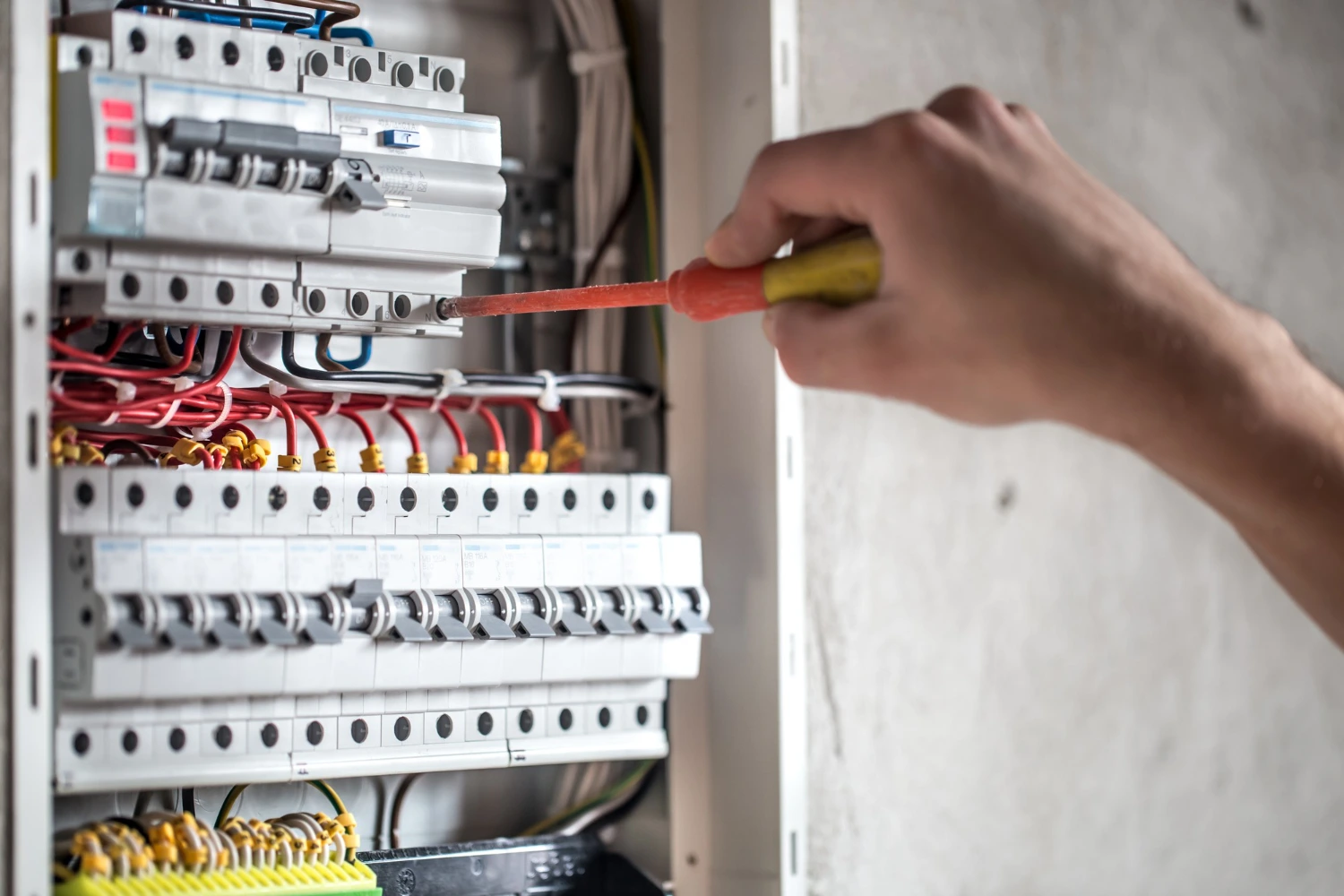
Your electrician will first check your switchboard. If your board is full, a power point installation might require a switchboard upgrade or the addition of a new sub-circuit.
Wiring and Fit-Off
- Chasing or Cavity Feeding: In brick homes common in Sydney, wires may need to be “chased” into the wall or fed through the cavity.
- Mounting the Bracket: Ensuring the outlet is level and secure.
- Testing: Using a multimeter to ensure correct polarity and earthing.
Certification and Compliance
In NSW, any power point installation must be followed by a Certificate of Compliance for Electrical Work (CCEW). This is your proof that the work is legal and safe for insurance purposes.
Cost Factors for Sydney Homeowners
The price of a power point installation varies depending on the complexity of the job and the materials chosen.
Labor and Accessibility
If your home has easy under-floor or ceiling access, the job is quicker. However, in multi-story apartments or homes with slab floors, the power point installation might require surface-mounted conduit, which changes the aesthetic and the price.
Material Quality
Standard white plastic plates are the most affordable. However, many Sydney residents are opting for premium finishes like:
- Brushed Metal: For a modern, industrial look.
- Matte Black: Popular in contemporary renovations.
- Glass Finishes: For high-end luxury interiors.
DIY vs. Professional Services
It is a common misconception that you can perform a power point installation yourself if you “know what you’re doing.”
The Legal Reality in Australia
In Australia, it is illegal to perform your own electrical work. A DIY power point installation can lead to:
- Voided Insurance: If a fire occurs, your insurer will not pay.
- Hefty Fines: Government regulators can issue significant penalties.
- Safety Hazards: Risk of fatal electric shock to you or your family.
Outdoor Power Solutions
Sydney’s love for outdoor entertaining means that an outdoor power point installation is a highly requested service. Whether it’s for festive lighting or a pool pump, the requirements are strict.
Weatherproofing and Durability
Any outdoor power point installation must have a high Ingress Protection (IP) rating. This ensures that rain, dust, and insects cannot penetrate the electrical components, preventing short circuits during Sydney’s summer storms.
Integrating Smart Home Technology with Power Point Installation
As we move through 2026, the demand for “Smart” homes in Sydney has shifted from a luxury to a standard expectation. A modern power point installation no longer just provides electricity; it provides data and control. Smart outlets allow homeowners to monitor energy consumption in real time, set schedules for appliances, and even integrate with platforms like Google Home or Amazon Alexa. For homeowners new to smart automation, resources like the Smart Home Energy Management Guide can help you understand how connected devices enhance safety, efficiency, and convenience.
- Remote Monitoring: Did you leave the iron on in your Newtown terrace? With smart power point installation, you can check and turn it off via your phone.
- Energy Tracking: See exactly how much power your home entertainment system is drawing and identify “energy vampires.”
- Automated Scenes: Link your power point installation to your lighting so that when you arrive home in the evening, your floor lamps and heater turn on automatically.
Specialized Power Point Installation for Sydney Apartments and Strata
Living in a high-rise in the CBD or a complex in Parramatta comes with its own set of rules. When planning a power point installation in a strata-managed building, you must navigate the “Common Property” bylaws. In NSW, while internal wiring within your walls is generally your responsibility, any work that affects the building’s main electrical load or structural integrity may require committee approval.
A professional power point installation in an apartment often requires “wall chasing” into masonry or specialized surface-mounting if the walls are concrete. Furthermore, with the 2026 push for EV readiness, many Sydney residents are now requesting a power point installation in their designated parking bays. This requires a licensed electrician who understands how to meter the power separately from the building’s common supply to avoid legal disputes with the Owners Corporation.
Energy Efficiency and the Future of Power Point Installation
Sustainability is a major focus for Sydney property owners today. An often-overlooked benefit of a new power point installation is the opportunity to improve your home’s energy footprint. Modern sockets are designed with higher-quality materials that reduce “phantom load” and resist internal degradation.
- USB-C Power Delivery (PD): Newer power point installation units feature high-speed USB-C ports that charge laptops directly, removing the need for bulky, inefficient “bricks.”
- Master-Slave Outlets: These specialized sockets automatically cut power to peripheral devices (like a printer or speakers) when the main device (like a PC) is turned off.
- Eco-Friendly Materials: Many Sydney electricians now offer power point installation using recycled or sustainable plastic components to align with green building certifications.
Conclusion
Upgrading your home’s electrical layout is one of the most practical investments you can make. From improving the safety of an older property to adding the high-tech convenience of USB-integrated sockets, a professional power point installation transforms how you interact with your space. By choosing a licensed Sydney electrician, you ensure that every new outlet is compliant, safe, and built to last. Don’t let a lack of outlets dictate where you place your furniture or how you use your devices. Start your power point installation project today and enjoy a more efficient, modern, and safer home environment.
Frequently Asked Questions
1. How much does a standard power point installation cost in Sydney?
The cost typically ranges from $150 to $250 per outlet, depending on the ease of access to wiring. If you are installing multiple points at once, most electricians will offer a discounted rate per unit.
2. Can I change a single power point to a double myself?
No, even a simple swap is considered electrical work and must be performed by a licensed professional. A licensed electrician will ensure the power point installation is properly earthed and tested for safety.
3. How long does the installation process take?
A single power point installation usually takes between 30 to 60 minutes if the wiring is easily accessible. If new circuits need to be run from the switchboard, the process can take several hours.
4. Do I need to upgrade my switchboard for a new power point?
Not necessarily, but if your home is older, the electrician will check if your current board can handle the additional load. They will also ensure an RCD (Safety Switch) is present as part of the power point installation process.
5. What is a USB power point, and is it worth it?
A USB power point features standard 240V sockets along with built-in USB ports for charging devices. It is a highly recommended power point installation for bedrooms and kitchens as it frees up the main sockets for larger appliances.
6. Is an outdoor power point installation different from an indoor one?
Yes, outdoor installations require specialized weatherproof housing (IP66 rated) to protect against the elements. The power point installation must also be positioned away from direct water sources like downpipes or pool splash zones.
