

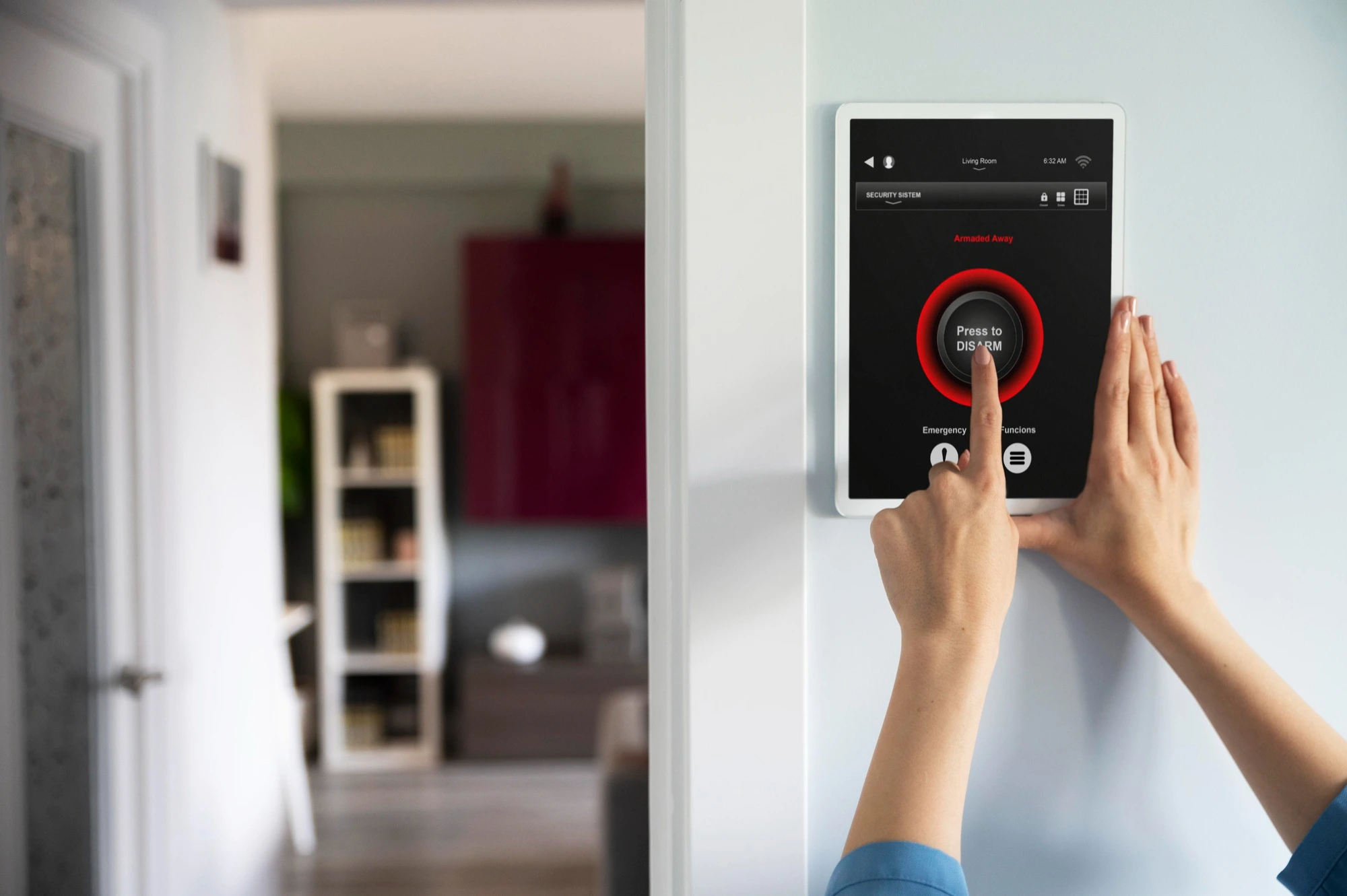
In a bustling metropolitan city like Sydney, security is no longer a luxury but an essential part of protecting your family, assets, and business. A reliable electronic security setup goes far beyond locking doors and relies heavily on professional Alarm Installation, as a poorly installed system can create a dangerous false sense of safety. Modern security solutions now integrate smart features that enhance convenience, control, and overall protection, working seamlessly with advanced technologies—explore more through Home Automation and Theatre Systems. From smart home systems to large-scale commercial networks, today’s alarm systems are designed to offer stronger protection, act as a powerful deterrent against intruders, and ensure true peace of mind. Selecting a certified installer remains the most critical decision in creating a secure and dependable environment for your Sydney property.
Understanding Modern Security Systems for Sydney Homes and Businesses
Modern security systems have advanced far beyond basic sirens and door sensors. Today’s solutions combine smart detection, real-time monitoring, and remote access—engineered to meet Australian standards and property requirements. A successful Alarm Installation begins with selecting the right technology that aligns with your unique security goals. For a deeper understanding of modern security trends, you can explore this resource: Advanced Security Technology Guide.
Types of Alarm Systems Available for Alarm Installation
Choosing the correct platform determines the efficiency and functionality of your security setup. Sydney properties have specific requirements, from heritage homes to large commercial warehouses.
Wired Alarm Systems: The Gold Standard for Reliability
Wired systems are known for their high reliability and resistance to interference, as components are physically connected to the main control panel.
- Pros: Highly stable, no battery replacements, better resistance to electronic jamming.
- Cons: More disruptive and time-consuming Alarm Installation process (drilling/concealing wires), higher labour costs.
- Best For: New builds, large commercial facilities, or properties undergoing renovation where wiring can be easily concealed.
Wireless Alarm Systems: Flexibility and Fast Installation
Wireless systems communicate via radio frequency, eliminating the need for extensive cabling between sensors and the panel.
- Pros: Fast, non-invasive Alarm Installation, highly scalable, easy to move components, ideal for rentals or existing buildings.
- Cons: Requires regular battery replacement, potentially susceptible to sophisticated jamming techniques.
- Best For: Existing Sydney homes, small businesses, and temporary setups.
Hybrid Systems: Combining the Best of Both
A hybrid system often uses a wired panel but allows for the addition of wireless devices in hard-to-wire locations. This provides a balance of reliability and flexibility. This approach is often the most practical choice for complex Alarm Installation projects.
Core Components of a Comprehensive Security System
A successful security system relies on a network of devices working in harmony, all orchestrated by a central control panel.
The Control Panel: The Brain of the System
This unit houses the main processing power, the communicator (cellular or IP), and the backup battery. Proper placement of the control panel is essential during Alarm Installation to ensure it is secure but accessible to authorised users.
Intrusion Detection Sensors
These are the eyes and ears of the system.
- Door/Window Contacts: Magnetic sensors that detect the opening of an entry point.
- PIR Motion Detectors: Passive Infrared sensors that detect changes in heat signatures and movement within a room.
- Glass Break Detectors: Acoustic sensors tuned to the specific frequency of breaking glass.
The Siren and Strobe
While detection is key, deterrence is equally important. A loud, high-decibel siren and a flashing strobe light alert neighbours and responders, drawing immediate attention to the security breach. The sound of the alarm itself is often enough to send intruders fleeing, highlighting the value of professional Alarm Installation.
The Critical Steps of Professional Alarm Installation
Undertaking Alarm Installation requires technical expertise, knowledge of electrical codes, and a deep understanding of security vulnerabilities. This is why professional service is highly recommended over a DIY attempt, especially in a high-security environment like Sydney.
1. The Pre-Installation Security Assessment
Before any equipment is mounted, a professional installer conducts a thorough site survey. This is the foundation of a tailored security solution.
Identifying Vulnerabilities
- Analysing entry points: All doors (including patio and garage) and ground-floor windows.
- Determining optimal motion sensor placement to avoid ‘dead spots’ and false alarms (e.g., away from heating vents).
- Assessing outdoor risks: Gates, sheds, and detached garages that may require specific perimeter protection.
System Design and Zoning
The installer determines the system’s “zones”—groups of sensors that can be armed independently. For example, a home system might have “Stay” and “Away” zones, allowing occupants to arm perimeter doors and windows while moving freely inside. This customised design is a critical part of professional Alarm Installation.
2. Expert Equipment Mounting and Cabling (If Applicable)
During the physical Alarm Installation, meticulous care is taken to ensure the equipment functions flawlessly and integrates aesthetically with the property.
Proper Sensor Calibration
Motion detectors must be calibrated to the room’s size and the environment. Poor calibration is a leading cause of false alarms. A professional ensures the detection sensitivity is set correctly to detect human movement while ignoring pets (pet-immune sensors).
Cable Management and Concealment
For wired systems, the professional ensures all cabling is discreetly concealed within walls, ceilings, and crawl spaces, not only for aesthetics but also to prevent tampering or accidental damage. Clean wiring is a hallmark of quality Alarm Installation.
3. Integration, Programming, and Testing
This stage is where the hardware is brought to life through software configuration. This level of technical programming is impossible for most DIY users.
Configuring Communication and Monitoring
The installer programs the communication path (e.g., IP or cellular) to ensure the system can reliably transmit signals to the monitoring centre, complying with all Sydney security monitoring standards.
Final System Testing and Walkthrough
Every single component—every door contact, motion sensor, and panic button—must be tested to confirm it communicates correctly with the control panel and the monitoring station. The technician provides the client with a comprehensive walkthrough, teaching them how to arm, disarm, and manage user codes, ensuring full comfort with the new Alarm Installation.
Monitoring and Maintenance: The Long-Term Security Strategy
An alarm system is only as good as its response mechanism. Professional monitoring and scheduled maintenance are essential after the initial Alarm Installation.
24/7 Professional Monitoring Services
For a security system to be truly effective, it must be monitored around the clock by a licensed security centre.
- Fast Response: Upon alarm activation, the monitoring centre receives the signal instantly, verifies the threat (where possible), and immediately contacts the police, fire department, or emergency contacts.
- Cellular Backup: This ensures that even if a power outage or a cut phone line occurs, the alarm system can still communicate its distress signal to the centre via a cellular network. This resilience is key for Alarm Installation in remote or high-risk areas.
Routine Maintenance for System Longevity
Like any sophisticated piece of technology, an alarm system requires periodic checks to ensure every component remains fully operational.
Battery Replacement Schedule
- Control Panel Backup Battery: Typically replaced every 3-5 years to ensure the system functions during power outages.
- Wireless Sensor Batteries: Replaced as needed (often indicated by a low-battery warning on the control panel).
Sensor Cleaning and Inspection
Dust and debris can interfere with the sensitivity of motion detectors. Routine cleaning and inspection by an expert prevents false alarms and ensures optimal performance. This post-Alarm Installation service is vital for compliance and peace of mind.
Conclusion
Investing in professional Alarm Installation for your Sydney home or business is an investment in safety, security, and peace of mind. While the market is flooded with DIY options, the customisation, reliability, and guaranteed compliance offered by certified security technicians are invaluable. From selecting the appropriate hardware—be it a cutting-edge hybrid system or a robust wired solution—to the precise calibration of every sensor, the expertise of an accredited installer ensures your system provides accurate, reliable protection 24 hours a day. Do not compromise the safety of your property and loved ones with a generic solution. Partner with a local Sydney security professional to design and execute a tailored Alarm Installation plan that guards your most important assets effectively and intelligently. A properly installed system acts as the silent guardian of your premises.
Frequently Asked Questions (FAQs)
1. How long does a typical Alarm Installation process take?
The duration of the installation largely depends on the system type and the size of the property. A standard wireless installation for a three-bedroom Sydney home can often be completed in a single day (4-8 hours). A complex wired system for a large commercial building, which requires extensive cable concealment, may take several days or even a week to complete the full Alarm Installation.
2. Do I need council approval for Alarm Installation in Sydney?
In most cases, you do not need direct council approval for installing a standard residential or commercial security alarm system. However, all alarm systems must adhere to local regulations regarding excessive false alarms, as these can incur fines from police or local authorities. A professional installer will ensure your system is properly calibrated and compliant with all relevant Australian Standards.
3. What is the difference between an unmonitored and a monitored alarm system?
An unmonitored alarm system simply sounds a local siren upon activation, relying on neighbours or passersby to call the police. A monitored system, however, sends an immediate signal to a 24/7 security centre. The professional operators at the centre verify the alarm and dispatch emergency services or contacts, ensuring a rapid and coordinated response, which is crucial after an Alarm Installation.
4. Are wireless alarm systems as secure as wired systems?
Modern wireless alarm systems are highly secure and reliable, employing encrypted communication and frequency-hopping technology to prevent jamming. While wired systems offer the highest physical resistance to tampering, wireless systems are much faster to install and provide greater flexibility. A certified technician will assess your risk level to determine which platform, or a hybrid of both, is best for your specific Alarm Installation needs.
5. How can I prevent false alarms after Alarm Installation?
Preventing false alarms involves a combination of factors: using pet-immune sensors if you have animals, ensuring all doors and windows are closed before arming, and making sure the system is professionally calibrated during the Alarm Installation process. User training is also critical; ensure everyone who uses the system knows the proper arming and disarming procedures and the correct code entry sequence.
6. What happens if the power goes out? Will my alarm system still work?
Yes, all professionally installed security alarm systems include a rechargeable backup battery within the control panel. This battery is designed to provide power to the entire system, including all sensors and the communication module, for a set period (usually 12 to 24 hours) in the event of a power outage. A key part of the Alarm Installation process is testing this battery backup function.
